The Ledger · Money
Debt Snowball vs Avalanche: Which One Actually Costs Less?
Avalanche always costs less in interest than snowball, but the two often produce the identical payoff order — and the extra payment matters more than either.
Quick answer: The debt avalanche always costs less in interest than the snowball because it retires the highest rate first — but on a realistic four-debt list the two methods often produce the identical payoff order, and the size of your extra payment matters far more than which order you pick. Run both on your own balances, free, below.
The debt avalanche always costs less in interest than the debt snowball, because it retires the highest interest rate first. But on a realistic four-debt list the two methods often produce the identical payoff order — and the extra payment you add matters far more than which order you pick. Below is the actual formula a debt snowball calculator runs, and what it returns on the seed figures our free calculator loads.
Which costs less, the debt snowball or the debt avalanche?
Avalanche costs less, never more, because it always attacks the highest interest rate first; snowball clears whole debts sooner and keeps more people finishing.
That is the whole trade-off, and it is smaller than the internet makes it sound. Both methods pay every minimum every month. Both throw every spare dollar at one debt until it dies, then roll that payment onto the next. The only thing that differs is the order of the queue: snowball sorts by smallest balance, avalanche sorts by highest rate. Interest accrues on rate, so putting the highest rate first mathematically cannot lose — but it can lose in practice if the biggest rate sits on a large balance and you go eleven months without crossing a single debt off the list.
Worth knowing where those rates sit today: the Federal Reserve G.19 release of 7 August 2026 puts the average credit card rate at 20.94% across all accounts and 22.15% on accounts actually assessed interest, for the June 2026 survey period. The two card rates in the worked example below, 23.99% and 28.99%, are above both averages — which is exactly why they sort to the top of the avalanche queue.
What formula does a debt snowball calculator actually run?
It runs RANK twice to build both payoff orders, then NPER on your balance-weighted average rate to estimate how many months the whole plan takes.
No calculator on the first page of Google shows you this, so here it is verbatim — these are the live formulas behind the free Debt Payoff Tracker calculator, column for column:
Snowball order   =RANK(Balance, DEBT_Balance, 1)     ' 1 = ascending, smallest balance first
Avalanche order  =RANK(Rate,    DEBT_Apr,     0)     ' 0 = descending, highest rate first

Months at minimum (per debt)
  =IF(Minimum <= Balance*Rate/12, "never", NPER(Rate/12, -Minimum, Balance))

Balance-weighted APR  =SUMPRODUCT(DEBT_Balance, DEBT_Apr) / SUM(DEBT_Balance)
Months at minimums    =NPER(BlendedApr/12, -TotalMin, TotalDebt)
Interest at minimums  =TotalMin*NPER(BlendedApr/12, -TotalMin, TotalDebt) - TotalDebt
Interest saved        =InterestAtMinimums - InterestWithExtra
Two things fall out of reading it. First, the ordering is exact — RANK is not an estimate, it is a sort. Second, the months-and-interest totals are an estimate, because the plan sheet treats your debts as one loan at the blended rate rather than amortising each debt separately month by month. That lands within a month or two for most lists, and the workbook labels it as an estimate rather than pretending otherwise.
What happens when snowball and avalanche give the same order?
It happens more often than people expect, and it means the argument is moot: pay in that order and you get both benefits at once.
The calculator loads with four seed debts. Run both RANK formulas over them and the two columns come out identical, because on this list the small balances happen to be the expensive ones — which is how consumer debt usually stacks up. Store cards and retail cards carry the highest rates and the smallest balances; car and student loans carry the lowest rates and the largest balances.
| Debt | Balance | APR | Minimum | Snowball order | Avalanche order |
|---|---|---|---|---|---|
| Store card | $950 | 28.99% | $35 | 1 | 1 |
| Visa | $3,800 | 23.99% | $115 | 2 | 2 |
| Car loan | $14,200 | 6.89% | $385 | 3 | 3 |
| Student loan | $19,500 | 5.53% | $210 | 4 | 4 |
When the columns disagree, they usually disagree on one swap, not the whole list — and the cost of picking the “wrong” one is measured in tens of dollars, not thousands. The way to find out for your own numbers is to type them in and read the two columns side by side, which is the one thing a generic calculator will not show you.
How much does one extra payment save?
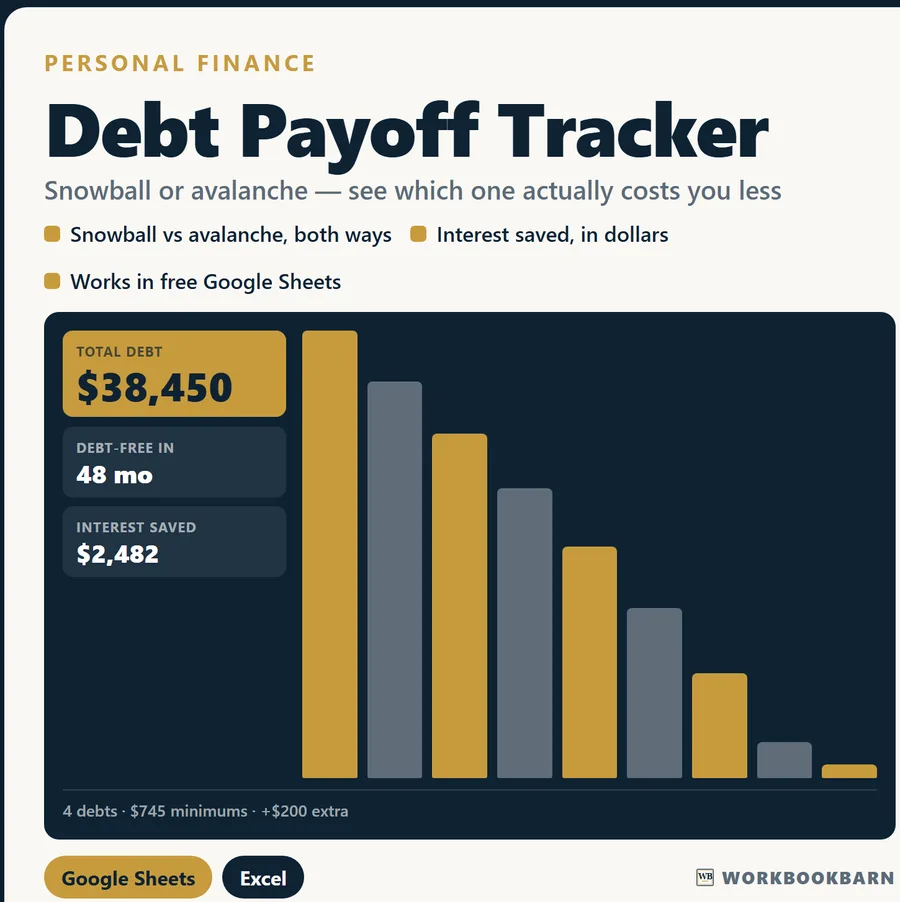
On the calculator’s seed figures, adding $200 a month to the minimums saves $2,482.03 in interest and finishes the plan 16.24 months sooner.
This is the number that dwarfs the snowball-versus-avalanche question, and it is the reason the plan sheet exists. Every figure in the table below is a verified value from the workbook’s QA ledger — 13 figures were recomputed independently from the same seed inputs before release, and one disagreement would have stopped it.
| Figure | At minimums only | With $200 extra |
|---|---|---|
| Monthly payment | $745 | $945 |
| Months to debt-free | 64.34 | 48.09 |
| Total interest | $9,481.71 | $6,999.68 |
| Months sooner | — | 16.24 |
| Interest saved | — | $2,482.03 |
| Interest saved per extra dollar | — | $0.26 |
That last row is the one to sit with. Every extra dollar routed into the plan returns about 26 cents of interest that never gets charged, on top of the dollar itself coming off the balance. Reordering the queue does not produce a number in that range; the extra payment does.
The same seed list also carries $270.31 of interest in its very first month, before a single payment lands. Against $745 of minimums, that is where a third of the money goes.
Why would a debt say it will never be paid off?
Because the minimum payment is smaller than one month of interest on that balance, so the balance grows every month, whatever you pay.
That is the test in the middle of the per-debt formula: IF(Minimum <= Balance*Rate/12, "never", ...). It compares the minimum against one month of interest before it tries to compute a payoff date, because NPER on a payment that small returns nonsense rather than an answer. Take the store card in the seed list: 950 × 28.99% ÷ 12 gives $22.95 of interest a month against a $35 minimum, so it clears. Drop that minimum to $20 and the formula prints “never” instead of a number, and it is telling the truth.
A calculator that hides this behind a debt-free date will happily draw you a chart for a debt that is mathematically getting bigger. Reading the word “never” in a cell is more useful than reading an optimistic date.
How do you run your own numbers?
Type one debt per row into the free browser calculator, which runs the formulas above unchanged; the last three columns fill themselves in as you go.
- Open the free Debt Payoff Tracker calculator — no sign-up, runs in the browser, same formulas as the workbook.
- The Debt Payoff Tracker workbook holds forty rows, keeps your history, and works in free Google Sheets as well as Excel.
- If you are building a fuller picture of where you stand, how to calculate net worth covers the other half of the balance sheet.
Common questions
Is there a free debt snowball calculator that shows both orders?
Yes — the Debt Payoff Tracker calculator on this site returns a snowball column and an avalanche column side by side for the same list, rather than committing you to one method. It runs in the browser with nothing to install and nothing to sign up for.
Does this work in free Google Sheets?
Yes. The workbook is built with an older, universal formula vocabulary — no XLOOKUP, no LAMBDA, no add-ons — so it imports into free Google Sheets and opens in Excel. Use File > Import > Upload > Replace spreadsheet.
Is the months-to-debt-free number exact?
It is a close estimate. It treats all your debts as one loan at your balance-weighted average rate, which lands within a month or two for most lists. The ordering that matters is exact; the total is an estimate, and it is labelled as one.
Debt Payoff Tracker
Run the numbers from this guide yourself — free, in the browser, no sign-up. Keep the full workbook if it earns its place.
Educational estimates only. These calculators and workbooks do the arithmetic on the figures you enter; they are general-purpose tools, not financial, investment, tax, legal, lending, insurance or construction advice, and no result is a quote, an offer, or a guarantee of any outcome. Results depend entirely on your inputs and assumptions. Verify anything you intend to rely on with a licensed professional — a CPA, attorney, lender, licensed contractor, or your own agent. WorkbookBarn and Marcos Gil accept no liability for decisions made using these tools. Marcos Gil is a licensed Kentucky real estate agent (License No. 296259) and is not a lender, CPA or attorney.